Lazy Load for Comments
Defer WordPress comments until the reader wants them.
- Loads native WordPress comments on scroll or click
- Works with classic themes and block themes
- Serves comments inline to crawlers, so SEO is unaffected
- No jQuery, no third-party service, no lock-in
- Zero configuration to get started
- License
- GPL-2.0-or-later
- Language
- PHP
- Requires
- PHP 7.4+
- Since
- 2016
- Installs
- 2,000+ active installs
- Rating
- 4.7★ (28 ratings)
What you get out of the box
Two ways to defer
Fetch comments automatically as the reader nears them, or hold everything behind a Load Comments button. A third setting turns lazy loading off without deactivating the plugin.
Crawlers still see everything
Search engines are detected by user agent and served the original inline comment markup, so a deferred thread stays indexable. On by default.
Classic and block themes
Swaps the output of comments_template() on classic themes and the rendered core/comments block on block themes, and caches the result per post so the fetch stays quick either way.
What a 100-comment thread costs before anyone scrolls to it
Comment text is cheap; the avatars beside it are not. Every commenter means one more request to Gravatar, made while the reader is still on the first paragraph. Deferring the thread removes all of it from the initial load.
Worked out from live Gravatar responses at the WordPress default of 96px — 12.7 kB for an account with a photo, 1.4 kB for the fallback — assuming 100 distinct commenters, half of them with a Gravatar account, plus WordPress core's comment-reply.js at 2.9 kB. Arithmetic from those inputs, not a lab benchmark: your own figure moves with avatar size, how many commenters have a Gravatar, and how many of them repeat.
Lazy Load for Comments in the WordPress admin
Everything Lazy Load for Comments adds to wp-admin, and where to find it.
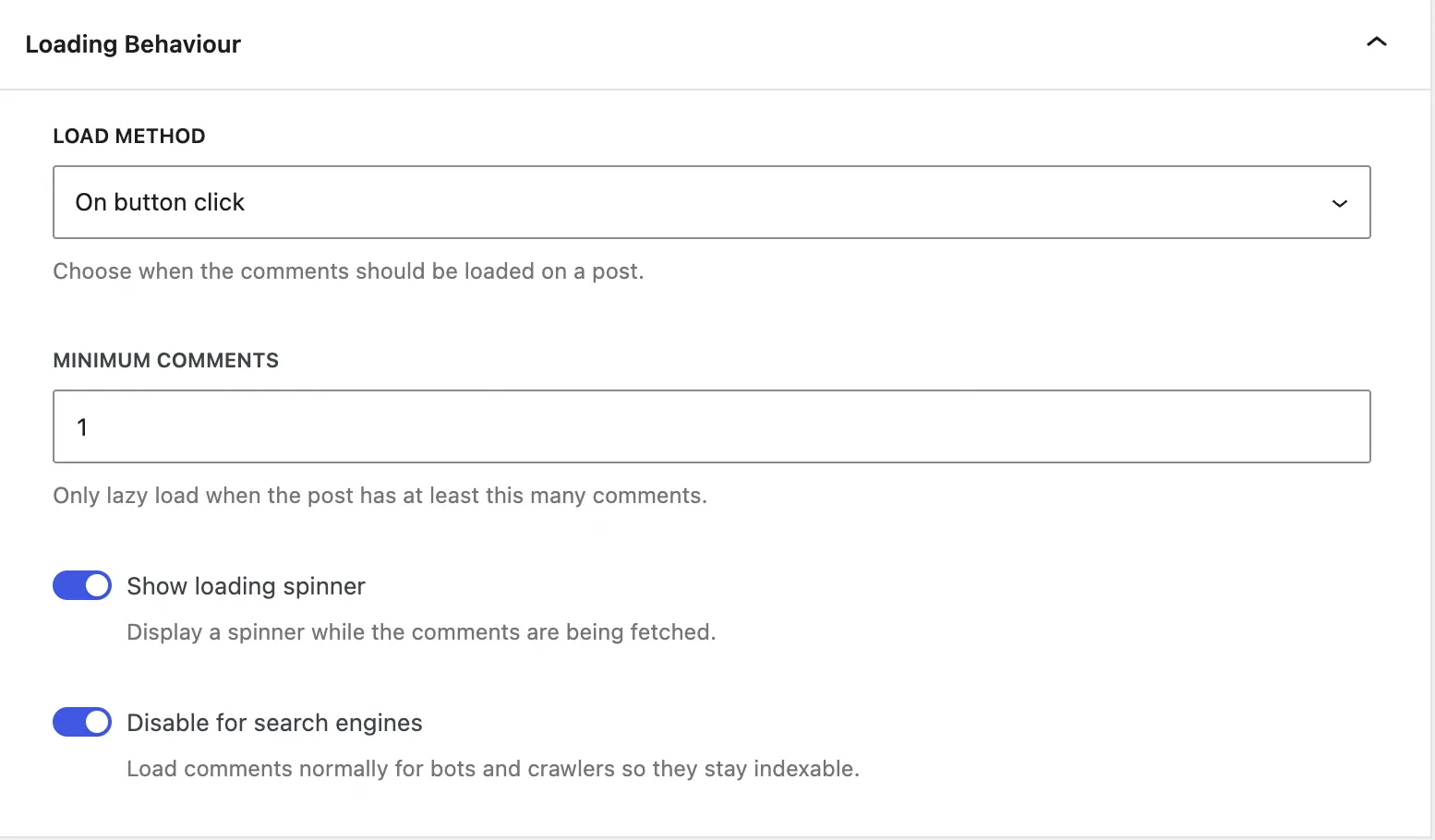
One dropdown decides everything
Pick On scroll, On button click or Disabled, set how many comments a post needs before lazy loading kicks in, and choose whether a spinner covers the fetch. Disable for search engines keeps crawlers on the inline markup.
Defaults are set so an activated plugin needs no visit to this screen.
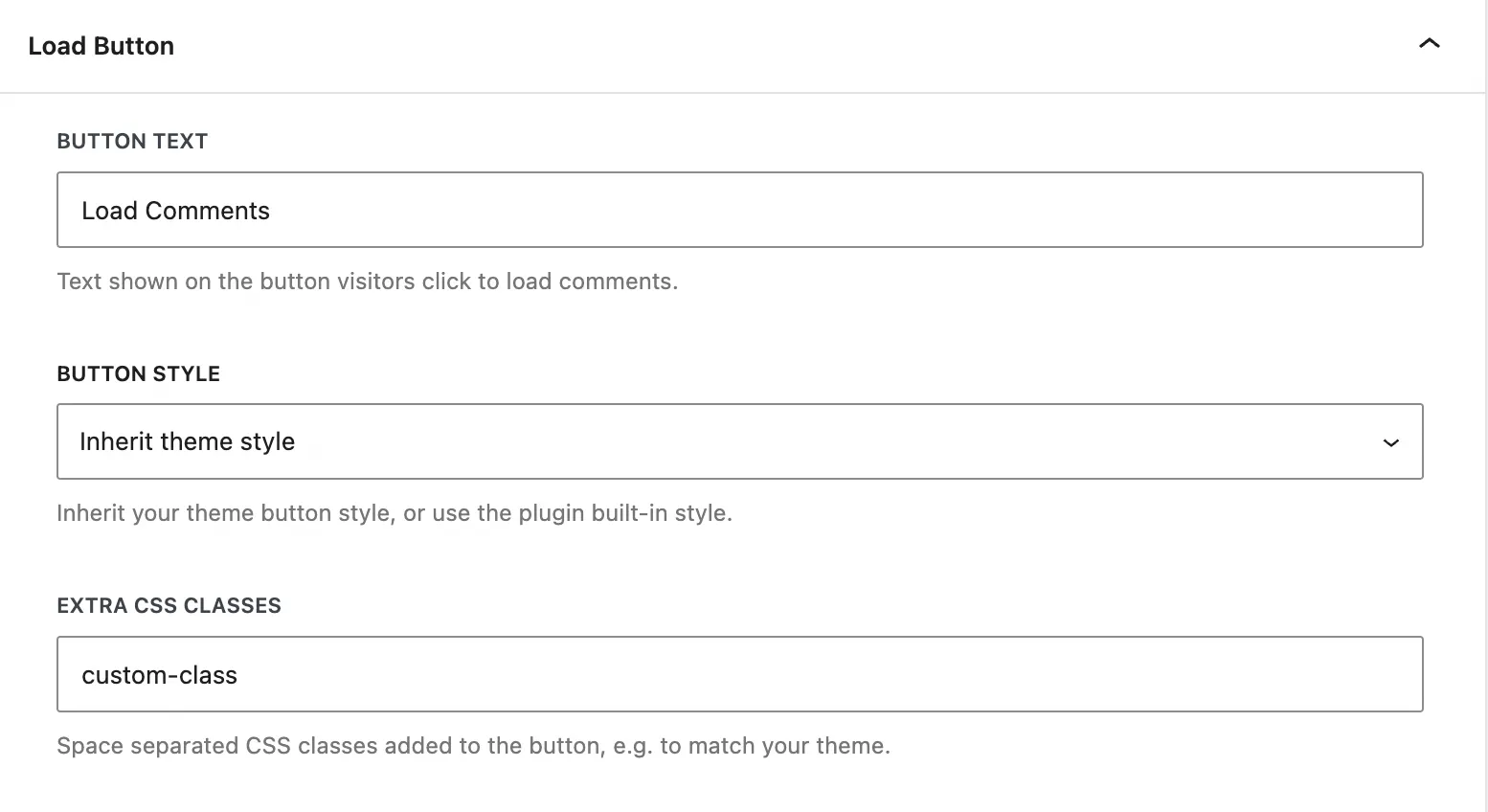
The button is yours
With the button method, set the label, choose between your theme's own button style and the plugin's minimal built-in one, and add any CSS classes you want to hang your own styling on.
Inherit theme style is the default, so the button matches the post it sits in.
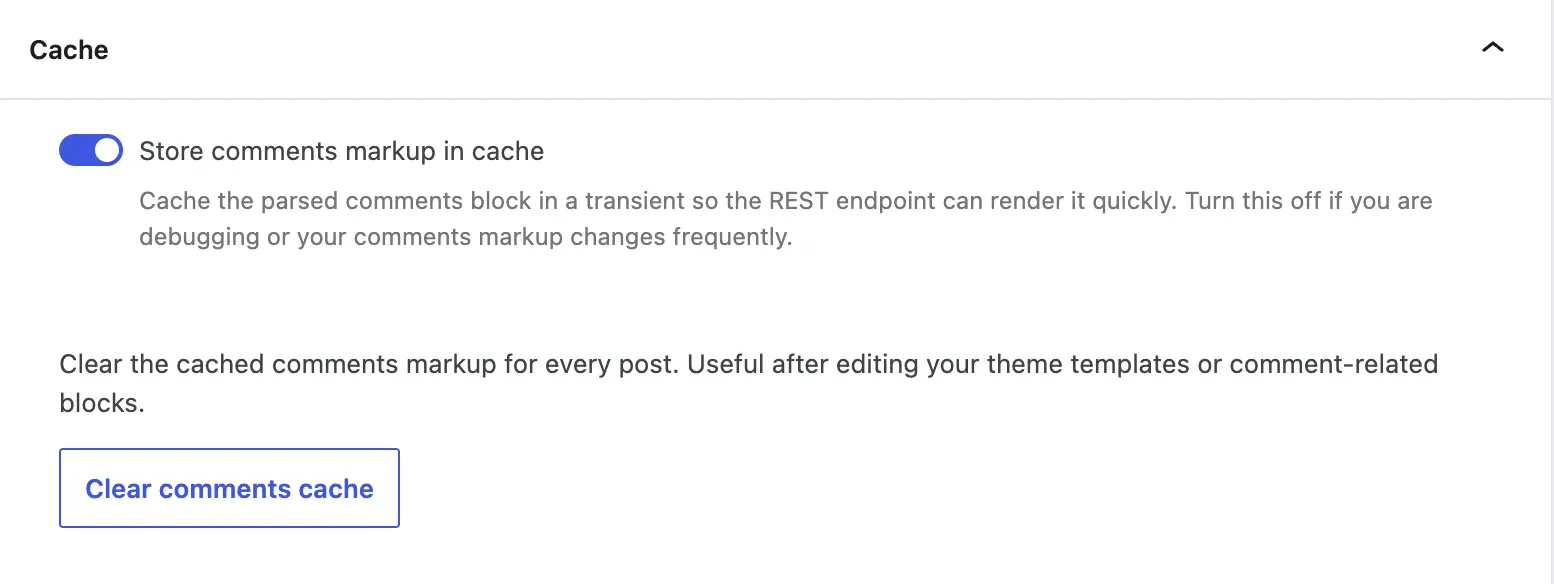
Re-render only when it changes
The parsed comments markup is kept in a transient per post so the REST endpoint renders quickly. Clear comments cache flushes every post at once after a template or block edit.
Turn the cache off while you are debugging comment markup, back on afterwards.
About Lazy Load for Comments
Loads the native WordPress comments section only on demand — on scroll or click — to cut initial page weight.
What it does
Lazy Load for Comments holds back the WordPress comments section until the reader scrolls to it or asks for it, so pages with long comment threads load fast up front.
A long thread pulls in dozens of avatars, gravatar lookups and reply scripts — all downloaded before the visitor has reached them, and most of them never seen. Version 2 fetches the rendered comments over the WordPress REST API instead, on demand, without changing how your comment template looks.
Why it exists
Not every visitor reads the comments — but every visitor pays for loading them. This plugin defers that cost to the moment it’s actually needed. Maintained since 2016.
Choosing a load method
Everything lives under Comments → Lazy Load. The Load Method decides when comments appear:
| Method | When comments load | Best for |
|---|---|---|
| On scroll | Automatically, as the reader nears the comment area | Most sites — nothing to click, nothing to learn |
| On button click | Only when the reader clicks Load Comments | Very long threads, or pages where comments are secondary |
| Disabled | With the page, exactly like stock WordPress | Turning the plugin off on one site without deactivating it |
A Minimum Comments threshold skips lazy loading on lightly-discussed posts —
with the default of 1, posts with no comments yet still show the form normally
so readers can leave the first one. An optional spinner covers the brief fetch.
Customising the button
With the On button click method you control the button end to end: its text, whether it inherits your theme’s button style or uses the plugin’s minimal built-in style, and any extra CSS classes you want to hang your own styling on.
SEO-safe by default
Lazy loaded comments are fetched with JavaScript, so Disable for Search Engines serves the full comment markup to crawlers instead — keeping that content indexable. Leave it on.
Caching on block themes
On block themes the plugin caches the serialized core/comments block in a
transient the first time a post is viewed, so the REST endpoint re-renders from
the cache instead of parsing the block tree on every request. The cache clears
itself when you switch themes, and an admin-only Clear comments cache action
flushes it on demand after template changes.
Skipping one post
Settings apply site-wide, but a filter opts individual posts out — useful for a page whose discussion is the reason people arrive:
add_filter( 'lazy_load_for_comments_can_lazy_load', function ( $can ) {
	if ( is_page( 'contact' ) ) {
		return false;
	}

	return $can;
} );
What it does not do
It handles the default WordPress comment system only. Disqus, Jetpack Comments and other third-party systems replace the comment area with their own embed, so there is nothing left for this plugin to defer — for Disqus, Disqus Conditional Load does the same job.
Frequently asked questions
How do I lazy load WordPress comments?
Install Lazy Load for Comments and choose a load method under Comments → Lazy Load. The native WordPress comment section is then held back until the reader scrolls to it or clicks a button, instead of loading with every page view.
Does lazy loading comments affect SEO?
No, not with the default settings. The plugin detects search-engine crawlers by user agent and serves them the original inline comment markup, so the thread stays indexable even though human visitors get it on demand. The setting can be turned off under Comments → Lazy Load if you would rather always lazy load.
Does it work with block themes and full site editing?
Yes. The plugin checks whether the active theme is a block theme and replaces the rendered core/comments block; on classic themes it swaps the comments_template() output instead. No template editing is needed either way.
Will it work with my caching plugin?
Yes. The markup rendered server-side is a plain HTML placeholder, so full-page caches can store it safely, and the comments themselves come from a public REST endpoint that is equally cache-friendly.
Does it work with plugins that replace WordPress comments?
No — it handles the default WordPress comment system only. Disqus, Jetpack Comments and similar replace the comment area entirely, so there is nothing left for this plugin to defer. For Disqus specifically, Disqus Conditional Load does the same job.
Can I disable lazy loading on one specific post or page?
Yes, with the lazy_load_for_comments_can_lazy_load filter. Return false for the posts you want to keep loading comments inline and the plugin leaves them alone.
Is any configuration required?
No. The plugin works as soon as it is activated, with sensible defaults. The settings under Comments → Lazy Load exist if you want to change the load method, the minimum comment count or the button text.
Learn how we can help you build better.
Questions about a plugin, a licence, or an expert advisor — ask and get a straight answer from the team that wrote the code.